
Help Center
Welcome to the BookFun 2.2 Help Center! Whether you’ve just downloaded the app and want to import books, or wish to explore the floating audio capsule, scrape high-res covers, or auto-sync serial chapters from your cloud drive, you’ll find everything you need right here.
 | 01. Quick Start (Getting Started) Essential essentials when opening the app for the first time. • Understanding the 3 bottom tabs: Bookshelf, Store, Profile • How to add your first book • Handling duplicate book imports • Opening books and smooth page turning • Activating TTS narration and floating capsule • Beginner FAQ quick lookup |
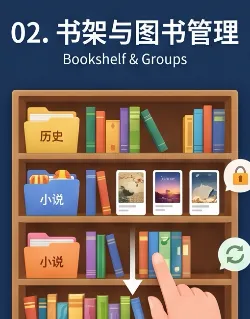 | 02. Bookshelf & Groups Daily book organization, categorization, and security. • 3D Study Room and Clean List views • Organizing books with group folders • Quick search, sorting, and hiding books • Long-press book card: metadata scraping and actions • Creating your own Markdown books • Safety lines: removing from group and deletion protection |
 | 03. Reader & Typography Distraction-free, seamless high-quality reading. • Publication-grade typography: punctuation and alignment • Page-turn feel: horizontal slide and flip • Seamless chapter transitions: read smoothly to the end • Table of contents, full-text search, volume pinning • Sentence highlighting, notes, and one-tap export • Never lose your spot: ‘Back to Position’ capsule • Scientific eye-care tinting and night blue-light filter |
 | 04. Audiobook & TTS Double-tap anywhere to listen, gentle bedtime reading companionship. • Super-fast ways to start listening • Offline system voices and expressive cloud anchors • Natural speech chunking without awkward pauses • Full-screen floating mini audio capsule • Synchronized viewport scrolling and yellow sentence highlight • Speed controls and sleep timer • Word-level breakpoint memory, background audio, and headphone controls |
 | 05. Sync & Backup Keep your data in your own hands; effortless migration to a new device. • Automatic seamless sync across Apple devices • Connecting home NAS or Baidu Drive for auto-sync • Local data backup and restore with item selection • Shareable backup and version protection • Core breakdown: what is included in each backup mode? • How to safely restore backups without accidental overwrites |
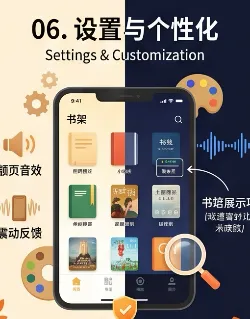 | 06. Settings & Customization Centralized preference management, tailored for your reading needs. • Light/Dark modes linked to reader themes • Page-turn sound effects and haptic toggle • Bookshelf display items and metadata density • Cover search engine priorities and toggle • Chapter splitting and regex proofreading dictionaries • Safe cache cleanup and database self-healing checks |
 | 07. Troubleshooting & FAQ Encountered an issue? Here are the most effective solutions. • Automatic TXT encoding detection and chapter splitting • Cover scraper tips: simplifying keywords and switching engines • Audio stops in background? Checking Low Power Mode • Devices not syncing? Manual trigger guide • Local network storage (SMB/WebDAV) diagnostics • Accidentally deleted a book? Re-import to recover progress and notes |
📖 Advanced Topics & Full Reference
Beyond the 7 core guides above, deep-dive reference materials are available:
- 🖼️ Cover & Scraper: Master multi-engine cover search and 0.72 golden ratio auto-cropping for physical-book elegance;
- 📊 Reading Stats: Independent timers for reading and listening, colorful today’s Treemap, and dedicated 3D book archives;
- 📘 BookFun 2.2 Full Manual: Comprehensive manual detailing every feature, perfect for bookmarking.
Tip
You can also quickly switch between guides using the top navigation bar.